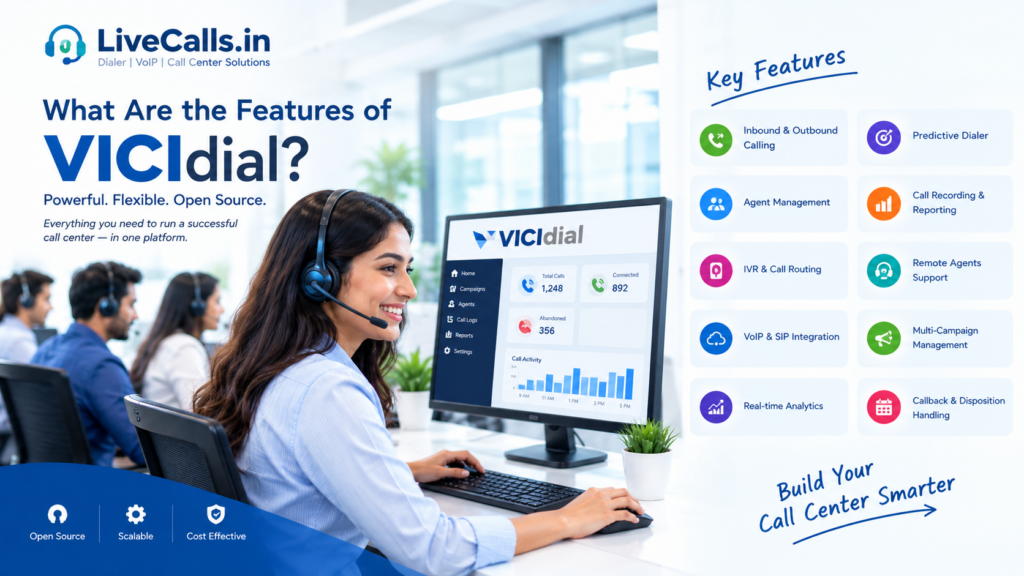
What Are the Features of VICIdial?
Looking for powerful call center software to manage your agents, customer calls, and sales campaigns? VICIdial is an open-source call center solution designed to help businesses manage inbound calls, outbound calls, and customer interactions from one platform.
Whether you are starting a small call center, running a BPO company, or managing an established contact center, understanding VICIdial’s features can help you decide whether it is right for your business.
In this guide, we’ll explain the main features of VICIdial in simple language.
What Is VICIdial?
VICIdial is an open-source contact center platform that works with Asterisk telephony technology. It helps call centers manage agents, phone calls, campaigns, and reports through a web-based interface.
Businesses can use it for customer support, telemarketing, lead generation, appointment setting, and other legitimate calling operations.
One major advantage is that VICIdial has no per-agent software licensing fee under its open-source licensing model. However, you may still need to pay for servers, VoIP services, installation, maintenance, and technical support.
12 Important Features of VICIdial
1. Inbound Call Management
VICIdial can help businesses handle incoming customer calls.
For example, when a customer calls your support number, the system can place the call into a queue and route it to an available agent based on your configuration.
Benefits:
- Manage incoming customer enquiries.
- Organize calls through queues.
- Route calls to suitable agents.
- Improve the handling of customer support calls.
This feature is useful for customer service teams, help desks, and technical support centers.
2. Outbound Dialing
VICIdial supports outbound calling campaigns, allowing agents to contact customers or leads from a prepared contact list.
Instead of manually managing every phone number outside the system, agents can work through assigned leads within the VICIdial interface.
Benefits:
- Organize contact lists.
- Manage calling campaigns.
- Record call outcomes.
- Schedule follow-up calls.
- Improve the workflow for sales and lead-generation teams.
3. Predictive Dialer
The predictive dialer is one of VICIdial’s best-known features.
A predictive dialer automatically places calls based on campaign settings and estimated agent availability. When a call is answered, the system attempts to connect it to an available agent.
This can reduce the time agents spend manually dialing numbers.
Best suited for: Outbound sales teams, telemarketing operations, and lead-generation campaigns.
Predictive dialing needs careful configuration. Poor settings can lead to abandoned calls, so businesses should monitor performance and follow the applicable calling regulations.
4. Manual and Preview Dialing
Not every campaign needs predictive dialing.
VICIdial also supports manual and preview dialing modes, depending on the campaign configuration.
- Manual dialing: Agents control when they place calls.
- Preview dialing: Agents can review a lead’s information before making a call.
These options are useful when conversations require preparation, detailed customer information, or a more controlled approach.
5. Blended Inbound and Outbound Calling
VICIdial can support both inbound and outbound calls within the same contact center environment.
For example, an agent might handle customer support calls during busy periods and make follow-up calls when inbound traffic is lower, depending on the system and campaign setup.
Benefits:
- Use agents more flexibly.
- Manage different types of customer interactions.
- Support multiple business workflows.
- Reduce the need to operate separate systems for every calling activity.
6. Web-Based Agent Interface
VICIdial provides a browser-based interface for agents and administrators.
Agents can log in to their assigned accounts and access calling functions and customer information through the web interface.
Depending on permissions and configuration, the agent interface can provide:
- Customer or lead details
- Calling controls
- Call disposition options
- Callback information
- Campaign scripts
- Call status information
This makes it easier to organize agent workflows without requiring every agent to use a separate desktop calling application.
7. Remote Agent Support
Do you want your agents to work from home or from different offices?
VICIdial supports remote agents, provided the server, network, telephony, and security settings are configured correctly.
This can help businesses build distributed teams without requiring every agent to work from one physical office.
Remote agents still need reliable connectivity, suitable audio equipment, and access to the system.
8. Call Recording and Monitoring
Call recording can help supervisors review conversations, train new agents, and assess service quality.
VICIdial supports integrated call recording, with availability and behavior depending on system configuration.
Managers may also have monitoring options that allow them to listen to calls or assist agents where permitted.
Important: Configure recording, access permissions, retention, and customer notifications according to the laws and contractual requirements that apply to your business.
9. IVR and Call Routing
IVR stands for Interactive Voice Response.
It allows callers to interact with an automated phone menu before reaching an agent.
For example:
“Press 1 for Sales. Press 2 for Customer Support.”
VICIdial supports configurable IVR and call-routing workflows.
Benefits:
- Direct callers to the right department.
- Organize incoming calls.
- Reduce unnecessary transfers.
- Provide a more structured customer experience.
The exact routing options depend on your configuration and telephony setup.
10. Real-Time Reports and Analytics
VICIdial provides real-time screens and summary reports to help managers understand campaign and agent activity.
Depending on the report and configuration, managers can review information such as:
- Calls handled
- Agent activity and time breakdowns
- Campaign performance
- Call outcomes
- Inbound call activity
- Calling productivity
These reports can help you identify problems, improve agent training, and make better operational decisions.
11. Callback Scheduling and Call Dispositions
VICIdial supports scheduled callbacks and configurable call dispositions.
A call disposition is the result recorded after a call. Examples might include “Interested,” “No Answer,” “Callback Requested,” or “Not Interested.”
Callbacks help teams follow up with customers at an agreed time, while dispositions help keep campaign records organized.
Together, these features can improve follow-up processes and make campaign reporting more useful.
12. Multiple Campaigns and Scalability
VICIdial supports multiple campaigns and lead lists, allowing businesses to organize different projects within the same platform.
For example, a BPO company could configure separate campaigns for customer support, appointment setting, and sales.
VICIdial can also be configured across multiple servers as an operation grows. However, scaling requires appropriate infrastructure, network capacity, database performance, and technical planning.
VICIdial Features at a Glance
| Feature | Main benefit |
|---|---|
| Inbound calling | Handle customer enquiries |
| Outbound calling | Contact leads and customers |
| Predictive dialing | Automate outbound dialing |
| Manual and preview dialing | Give agents more control |
| Blended calling | Support inbound and outbound workflows |
| Web-based interface | Manage agent activity through a browser |
| Remote agents | Support distributed teams |
| Call recording | Assist training and quality reviews |
| IVR and routing | Direct callers appropriately |
| Reports and analytics | Track campaign performance |
| Callbacks and dispositions | Organize follow-ups and call outcomes |
| Multiple campaigns | Manage different projects |
Is VICIdial Free?
VICIdial is open-source software distributed under the AGPLv2 license. It does not charge a per-agent software license fee under that model.
However, running a complete call center involves other expenses, which may include:
- Server or hosting costs
- VoIP and SIP trunk charges
- DID or toll-free numbers
- Installation and configuration
- Technical support and maintenance
- Agent computers and headsets
- Internet connectivity and backups
Your total cost will depend on the number of agents, calling destinations, call volume, and infrastructure requirements.
Who Should Use VICIdial?
VICIdial may be worth considering for:
- Startups: Build a call center without per-agent software licensing fees.
- BPO companies: Manage calling campaigns for different clients.
- Telemarketing teams: Organize outbound campaigns.
- Customer support teams: Handle inbound enquiries.
- Lead-generation companies: Manage lead lists and follow-ups.
- Growing call centers: Expand campaigns and agent capacity with suitable infrastructure.
VICIdial is flexible, but it is not a completely hands-off solution. Installation, security, telephony configuration, and ongoing maintenance may require technical expertise.
How to Get Started With VICIdial
If you want to use VICIdial for your business, follow these basic steps:
- Define your requirements: Decide whether you need inbound calls, outbound campaigns, or both.
- Plan your infrastructure: Select a suitable server and network setup for your expected workload.
- Choose your VoIP provider: Arrange SIP connectivity and the telephone numbers you need.
- Install and configure VICIdial: Set up campaigns, agent accounts, permissions, and calling settings.
- Test the system: Check call quality, agent logins, reports, recording, and routing.
- Train your team: Teach agents how to use the interface and follow campaign procedures.
- Monitor and improve: Review reports and adjust the configuration as your needs change.
For a complete installation walkthrough, link this article to your blog post about How to Install VICIdial 8. Before following a version-specific guide, verify that the release and operating system are appropriate for your intended deployment.
Need Help With VICIdial Setup?
Getting VICIdial running properly involves more than installing software. You may also need to configure the server, connect VoIP services, set up campaigns, and test the calling workflow.
LiveCalls.in offers call center and communication solutions for businesses planning to build or improve their calling infrastructure.
Our services include:
- VICIdial installation and configuration
- Cloud dialer and in-house dialer solutions
- VoIP and SIP services
- DID and toll-free numbers
- GSM gateway solutions
- IVR and broadcasting dialer solutions
- Technical support for call center systems
Whether you’re starting a new call center or improving an existing setup, the right configuration can help you create a more reliable operation.
Ready to build your call center?